How to Decorate a Home Office That Actually Works And Still Looks Cute on Pinterest

If you have ever searched “home office inspiration” and felt personally attacked by the perfect desks, same. The kind where the laptop is centered, the candle is lit, the coffee is magically warm, and there is not a single rogue charger in sight.
My real-life version used to be the dining table. And not even the cute version of that. It was the sticky chair, the cold coffee, the cable stretched across the walkway like a booby trap, and me trying to sound professional on Zoom while a delivery person chose violence at the doorbell.
What finally changed everything was realizing this: a home office is not “decor” first. It is a system first. Once the system works, the cute part becomes easy, and it stays cute.
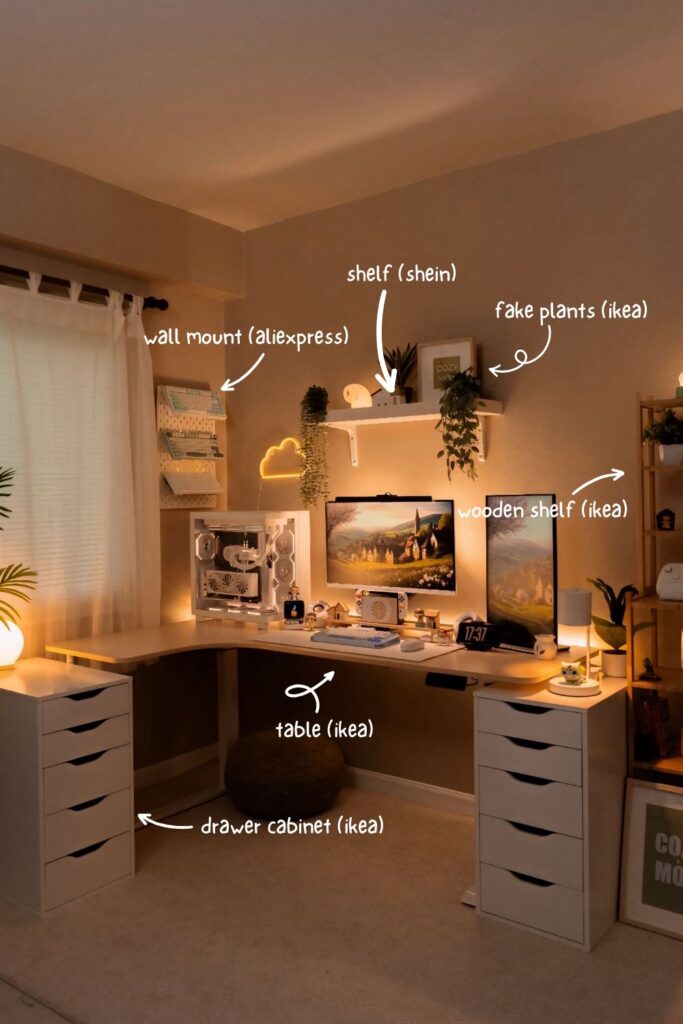
So here is my practical, warm, real-life guide. It is designed for small spaces, shared rooms, and brains that occasionally go into “I will deal with it later” mode.
The S.E.T.U.P. order, I use so I do not buy the cute stuff too early
I used to do this backwards. I would buy the pretty lamp, then realize there was nowhere to plug it in without making the cord situation look like spaghetti. I would get a pinboard, then realize my desk was too small, so the pinboard became a guilt wall.
Now I do it in this order because it works every time:
S: Select the right spot
E: Ergonomics first
T: Three-layer lighting
U: Upgrade organization
P: Personalize with decor
You can decorate slowly, but the order matters. It is the difference between “Pinterest corner” and “I can actually work here all week.”
What a functional home office really means in real life
A functional home office is not fancy. It just does three things consistently, even on your tired days.
First, it feels physically comfortable. Your chair and desk do not quietly ruin your back by 2 pm. Second, it reduces friction. No glare, no awkward reach, no constant moving piles to find space. Third, it is easy to reset. Not “deep clean the whole room” reset. I mean, one minute, surface clear, brain calm again.
If your space lets you sit down and start without negotiating with clutter, you are winning.
S: Select the right spot so working feels easier
You do not need a whole room. You need a spot that does not fight you.
The three spots that usually work best
A spare room is the obvious dream. Door closed, brain separated, life is better.
A bedroom corner works too, but you need to help your brain separate rest from work. I learned this the hard way. When my desk faced the bed, I started associating my bed with tasks. Not relaxing. Tasks. Shifting the desk so I was not staring at the bed helped immediately. Even adding a small rug under the chair made it feel like a separate zone.
A living room nook can be great for small homes, but it needs tighter organization. Open piles make the whole room feel like work. Closed storage and a quick hide system matter more here than anywhere.
Window vs wall, and the Zoom background reality
A desk facing the window feels amazing for the mood, but glare is real. If the sun is bouncing off your screen, your brain gets tired faster, and you start fidgeting without knowing why.
A desk facing a wall is great for focus, but it can feel cave-like if you do not fix the lighting and add something pleasant to look at.
My favorite compromise is putting the desk perpendicular to the window. You get daylight without becoming a silhouette on calls and without turning your screen into a mirror. If you do calls often, try not to have a bright window directly behind you unless you have strong lighting in front. Otherwise, you look like a shadow person, which is not the vibe.
The small space trick that makes a desk feel intentional
In a tiny space, you need a visual boundary. Something that tells your brain “this is the work zone.” The easiest ways are a rug under the chair, a shelf above the desk, or a piece of art that anchors that wall. You are not building a wall. You are giving your brain a line.
E: Ergonomics first, because cute is not cute when you are in pain
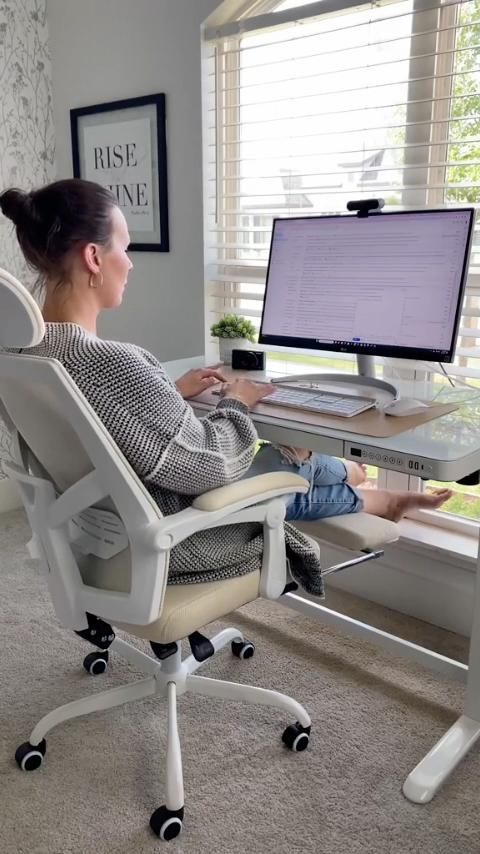
This is the part most people skip because it is unglamorous. Then they hate working from home and blame their lack of motivation. When it is actually the chair.
Desk placement rules I actually follow
I want enough clearance to pull the chair out without scraping the wall and enough reach to grab my daily tools without stretching. The cord situation matters too. If outlets are far, you will end up with cables across the room, and your space will look messy, no matter how pretty your decor is.
When I had my desk in the “wrong” corner, I constantly stepped over a charger. I thought I would get used to it. I did not. I just got irritated every day.
Choosing an ergonomic chair that still feels like home
The best chair is the one you can sit in for hours without that slow ache creeping in.
Look for adjustable height and real lower back support. Then make it feel homey with materials and color. A warm neutral chair or a textured fabric chair photographs beautifully and does not scream corporate. If you love the look of a simple chair but want comfort, add a lumbar pillow in a nice fabric. It is one of the easiest ways to get “Pinterest-friendly” without sacrificing your spine.
Quick posture setup that changes everything
If you use a laptop, raising it to near eye level is a game-changer. Otherwise, you hunch. I used to hunch so much I could feel my shoulders up near my ears.
The easiest setup is a laptop on a stand, plus an external keyboard and mouse. Your elbows should stay close to your sides, not flared out. Feet flat on the floor. If your feet dangle, even a sturdy box works as a footrest. Comfort improves focus more than people admit.
T: Three-layer lighting so your office does not feel like a cave or an interrogation room
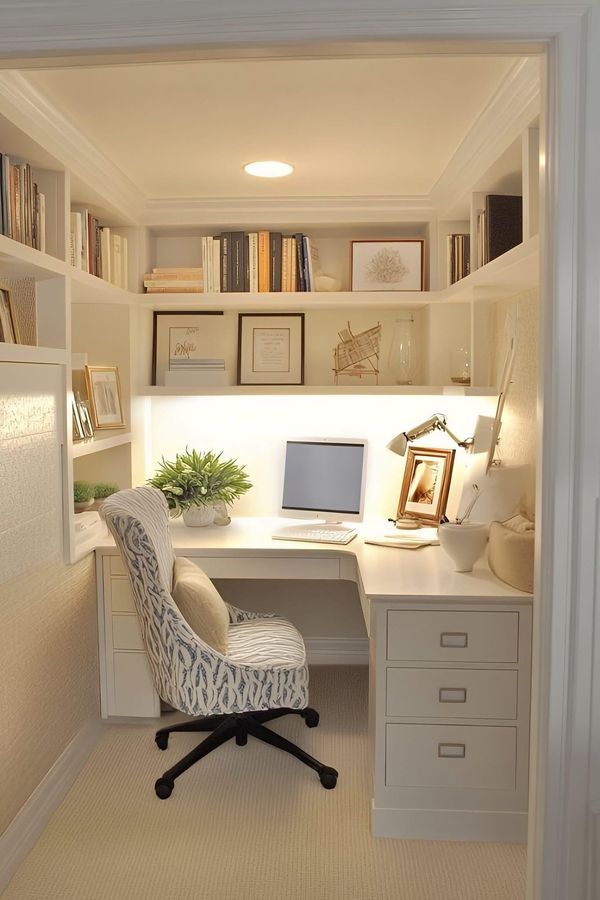
Lighting is the biggest “why does this room feel off” factor.
One overhead light alone creates harsh shadows, glare, and that haunted Zoom look. What works is layers.
The three layers are explained like a real person
Ambient light is your general room light. It can be a ceiling fixture or a floor lamp.
A task light is what actually lights your work. A desk lamp that points where you need it.
Accent light is the soft glow that makes the room feel cozy and stylish. Think of a small lamp on a shelf, a light behind the monitor, or a corner lamp that warms up the space.
When I added a second light near my monitor, my eyes immediately felt better at night. The contrast between the screen and the darkness is exhausting. Soft light makes it calmer.
Glare check that saves your sanity
If your screen reflects the window, shift the screen angle or move the desk slightly. If your desk lamp shines into your eyes or reflects on the screen, move it to the side. If you are right-handed, the lamp on the left reduces shadow on your work, and vice versa.
Also, warm bulbs matter. Cooler bulbs can feel harsh in a home setting. Warm light makes the space feel inviting and more flattering.
Easy lighting for video calls
For calls, you want soft light on your face. Window light from the side is great. A small lamp behind or near your camera helps a lot. The goal is even, gentle light, not a spotlight.
U: Upgrade organization so it stays tidy even when you are stressed
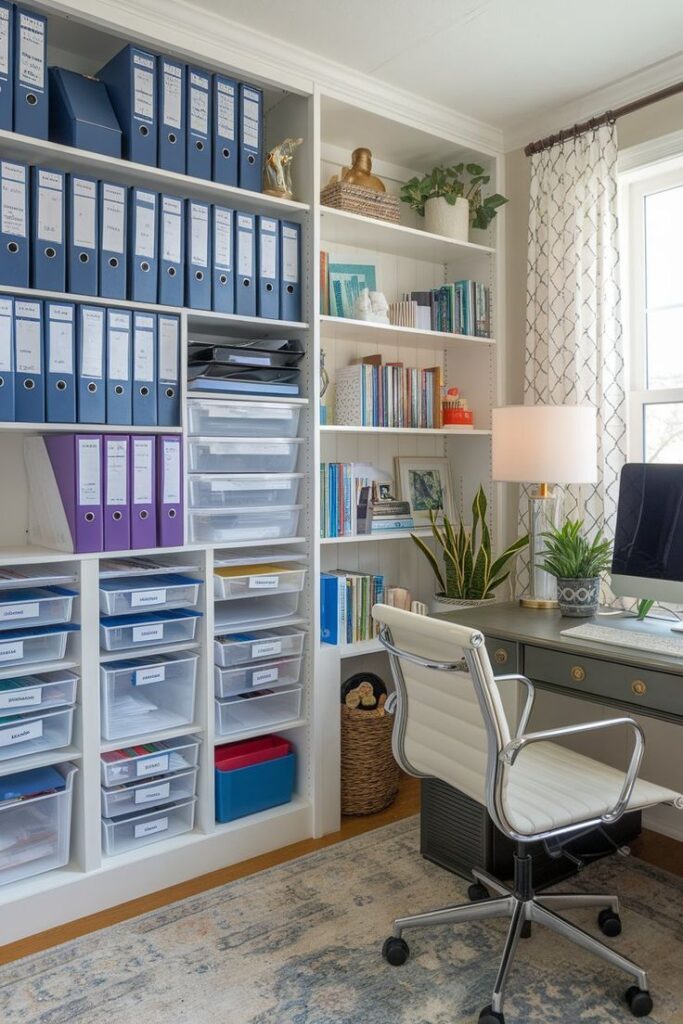
This is the difference between a home office that looks good for one photo and a home office that looks good most days.
The zones method I use to prevent desk doom piles
I keep my desk in three zones.
The work zone is the clear space in front of me. This is sacred. Laptop or monitor, notebook, nothing else.
The grab zone is for daily tools, but contained. A tray is my favorite move here because it makes a few items look intentional instead of scattered.
The drop zone is one single landing spot for incoming paper, mail, and things I need to deal with. Without this, paper creeps. It always creeps.
Once I gave paper one official home, my desk stopped turning into a slow-moving avalanche.
Storage that actually works in a real home
Open shelves look pretty, but they can become visual noise fast. I like a mix. Open shelves for a few styled things and closed storage for the ugly necessities.
If you are in a shared room, closed storage is gold. A cabinet, a credenza, even a lidded box can hide the reality. A rolling cart is also amazing for small spaces because it is flexible and it holds the messy stuff without living on the desk.
Paper flow and cables are the two biggest offenders
If paper exists in your life, you need a simple flow: one inbox tray, one spot for “to file,” one spot for “recycle.” Keep it basic so you actually use it.
Cables need containment. Even a small cable box plus a few cord clips makes the whole space look calmer. If you can mount a power strip under the desk, it is a huge upgrade. If you cannot, keep cords gathered and routed so they do not sprawl.
The reset routines that keep the vibe
My daily reset is basically one minute: clear the surface back to baseline, paper into the inbox, tools into their tray, plug in what needs charging.
Weekly reset is ten minutes: trash, wipe down, deal with inbox, untangle cables. It is boring, but it keeps the space from collapsing slowly.
P: Personalize with decor, but only decor that earns its spot
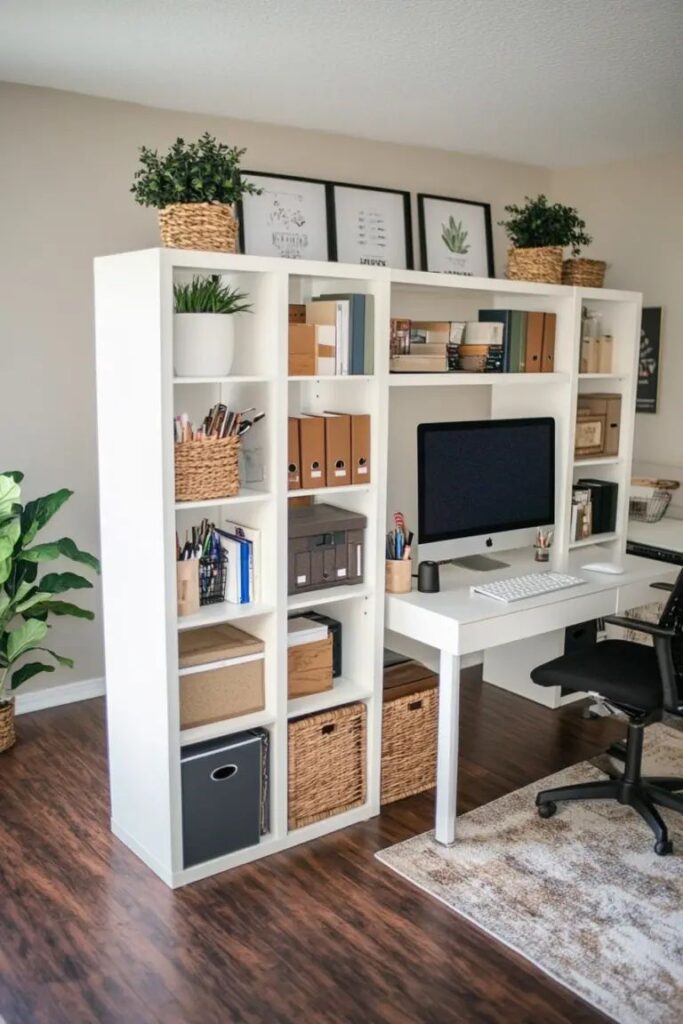
Now you can do the Pinterest part, and it will not become cluttered.
Color that supports focus
Pick a base that feels steady, then add one accent. Warm neutrals and muted greens are calming for most people. Dusty blues are great too. If you love bold color, use it as an accent in art, a chair, or a rug, not as a thousand little objects.
The most Pinterest-friendly spaces usually repeat a few tones and avoid random color chaos.
Decor that is pretty and useful
A desk mat warms up the surface and makes everything look intentional. A tray makes daily items look curated instead of messy. A pinboard can be amazing if it stays edited and does not become a guilt wall.
One plant instantly softens a setup. If plants stress you out, do one high-quality faux plant and move on. Your office should not become another chore.
Wall art and shelves without visual noise
One larger art piece often looks calmer than many small ones. If you love a gallery wall, keep frames cohesive and leave breathing space.
For shelves, fewer larger items usually look better than lots of tiny decor. Books, a basket, a plant, and one sculptural object.
Done.
The finishing touches that make it feel cozy
A rug makes a huge difference. It adds warmth, absorbs sound, and defines the zone. Curtains soften light and make the space feel more finished. A soft lamp glow makes everything look better at night. Texture is what makes a home office feel like home.
Three copy-and-paste layout recipes
1) The window nook setup
Desk perpendicular to the window, simple shelf above, one plant in the corner, one warm lamp for night work. This is the easiest setup for mood and productivity.
2) The wall desk setup for shared rooms
Desk against the wall, closed cabinet nearby, one art piece centered above, tray for daily tools. This is the “stays tidy” champion.
3) The guest room office setup
Compact desk, storage that matches the room, a chair that looks like it belongs, and decor that feels cohesive so the room does not look split in half.
Common mistakes that make a home office annoying to use
The biggest one is decorating before lighting and storage. The second is choosing style over comfort, especially with chairs. The third is too much open storage, which looks good in photos but creates constant visual noise.
If you fix comfort, lighting, and storage first, the rest is easy.
Wrap up: what to do today if you are overwhelmed
Pick one step, not all of them.
If you want the fastest impact, I would start with lighting and desk zones. Add one warm lamp and create a drop zone for paper. Your office will feel calmer immediately, and it will photograph better, too.
If you tell me where your desk is going, bedroom corner, living room nook, spare room, plus whether you use a monitor, I can map a simple S.E.T.U.P plan for your exact space.